How to set Audience Restrictions for a Profile

Luckily, now we’re bringing an option to set the audience restrictions for your profile by default, so when you’re creating your posts, the audience targeting will be automatically applied.
Here’s how to go about it:
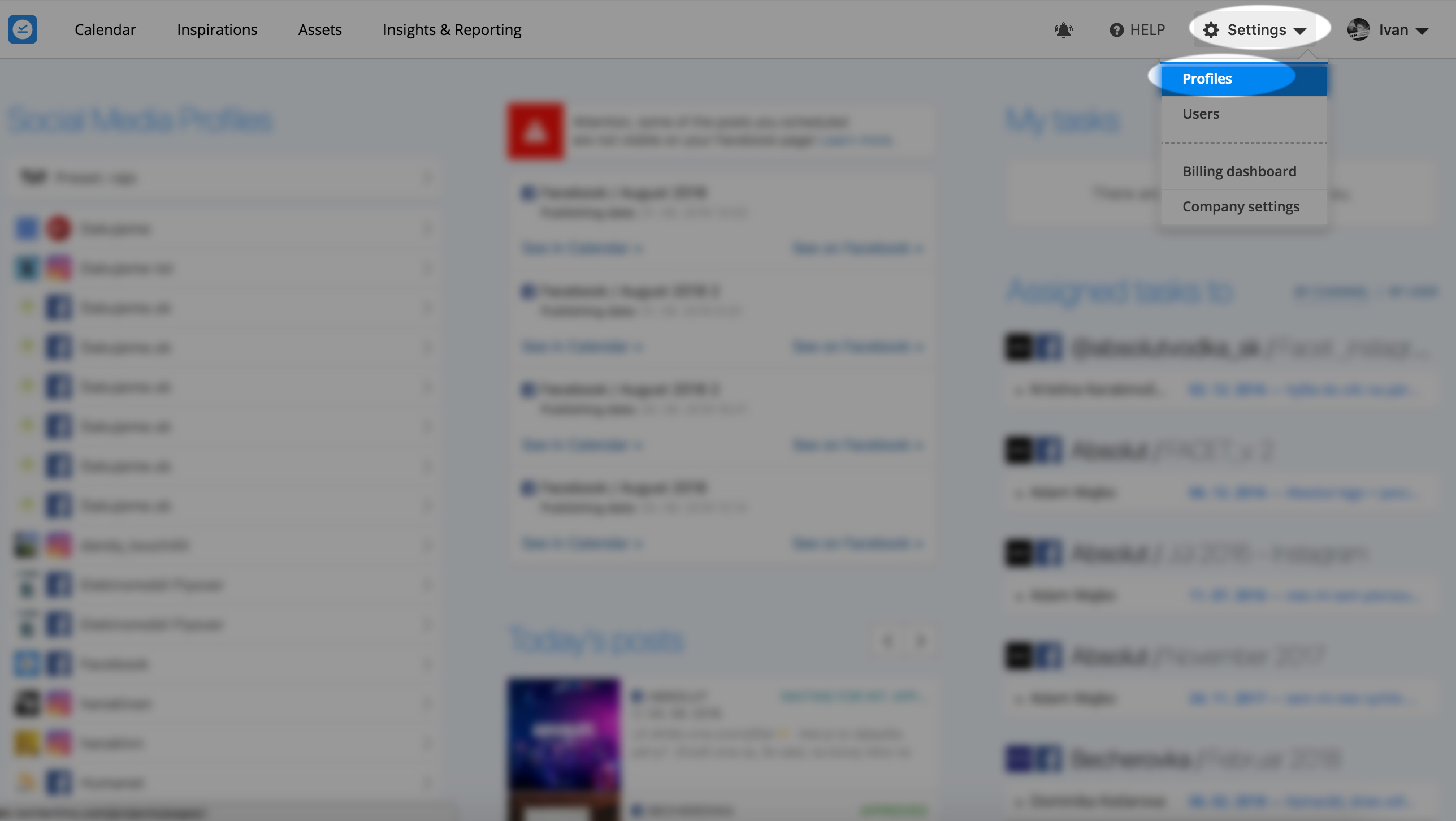
- Click Settings (on the top-right) -> Profiles
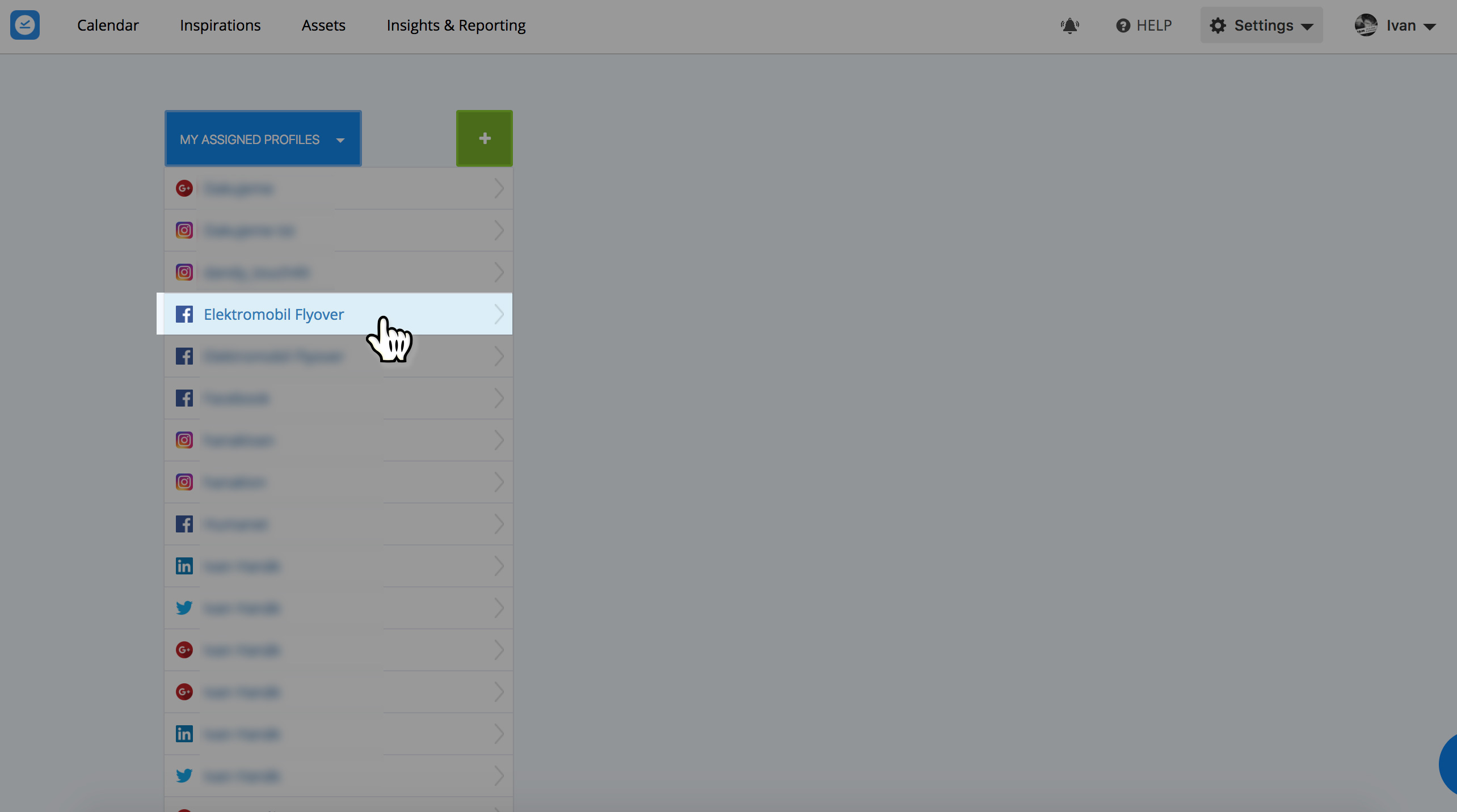
- Choose a Facebook or LinkedIn profile
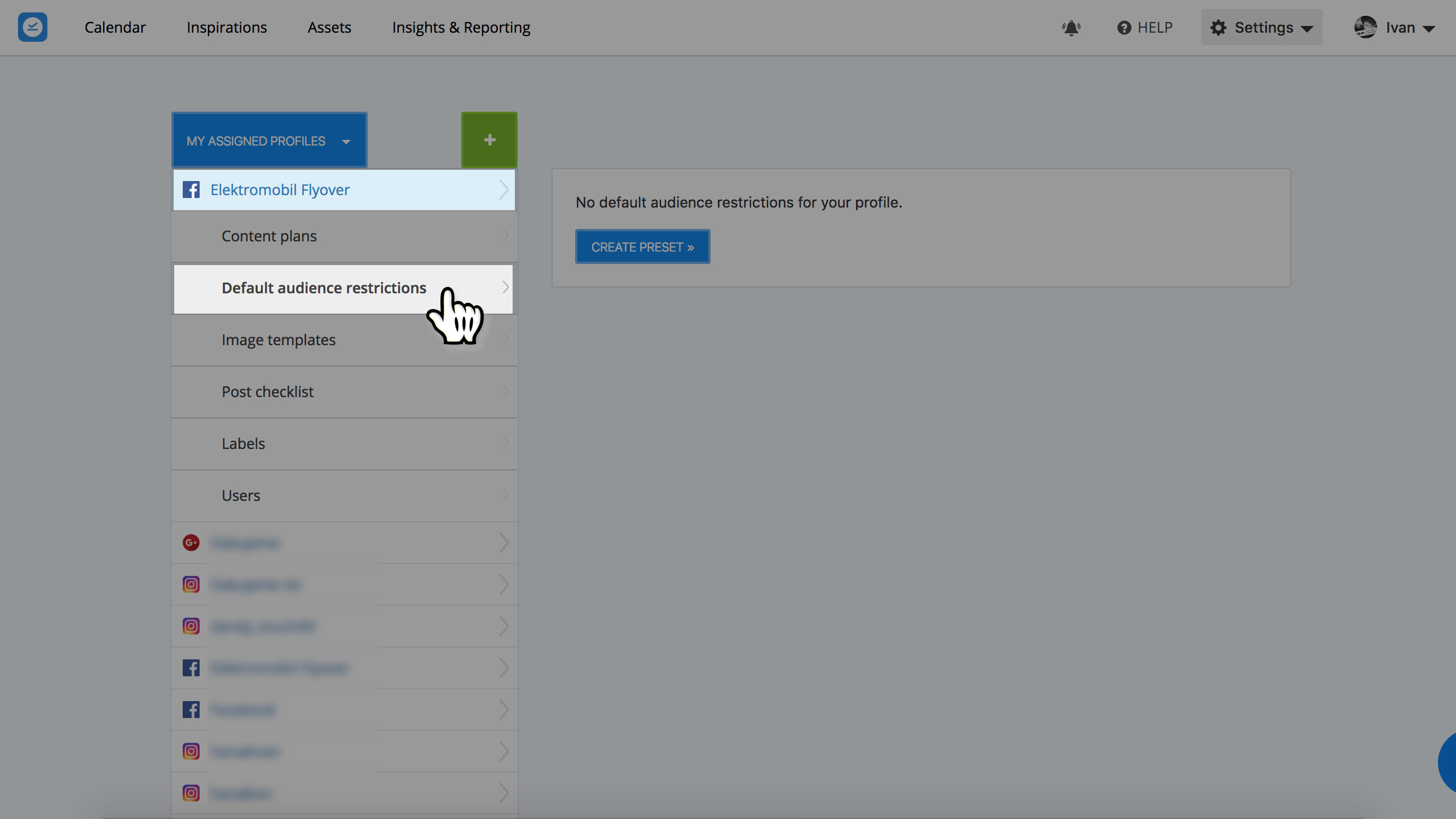
- Click “Default Audience Restrictions”
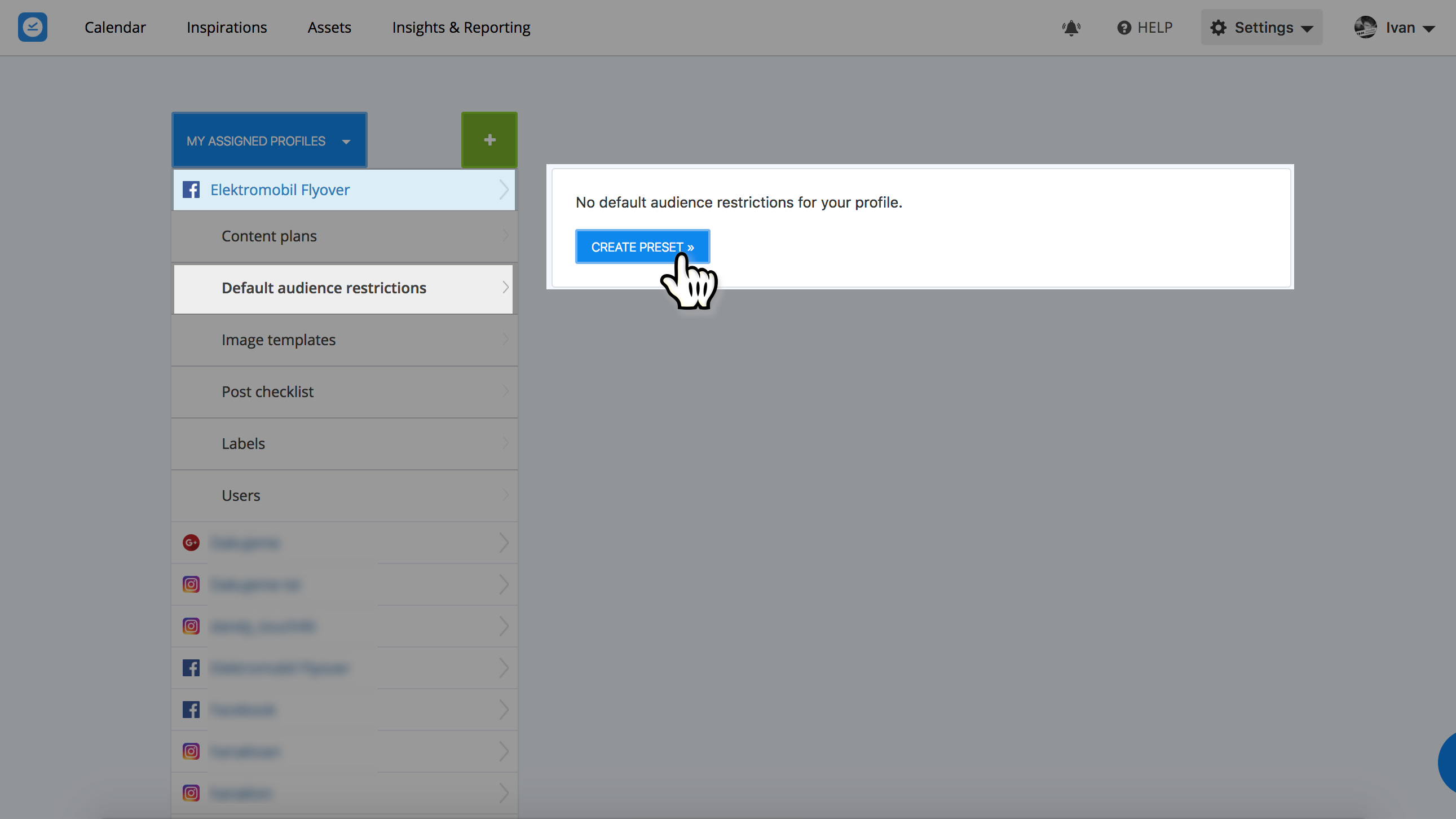
- Click “Create preset” and just pick items into the preset.
That’s it 🙂
Need some ‘screenshot’ guide?
- Click Settings (on the top-right) -> Profiles
![]()
- Choose a Facebook or LinkedIn profile
![]()
- Click “Default Audience Restrictions”
![]()
- Click “Create preset” and just pick items into the preset
![]()
Hope this was easy. Should you need any help setting this up, contact our Customer Service through the blue icon on the right 🙂 .